
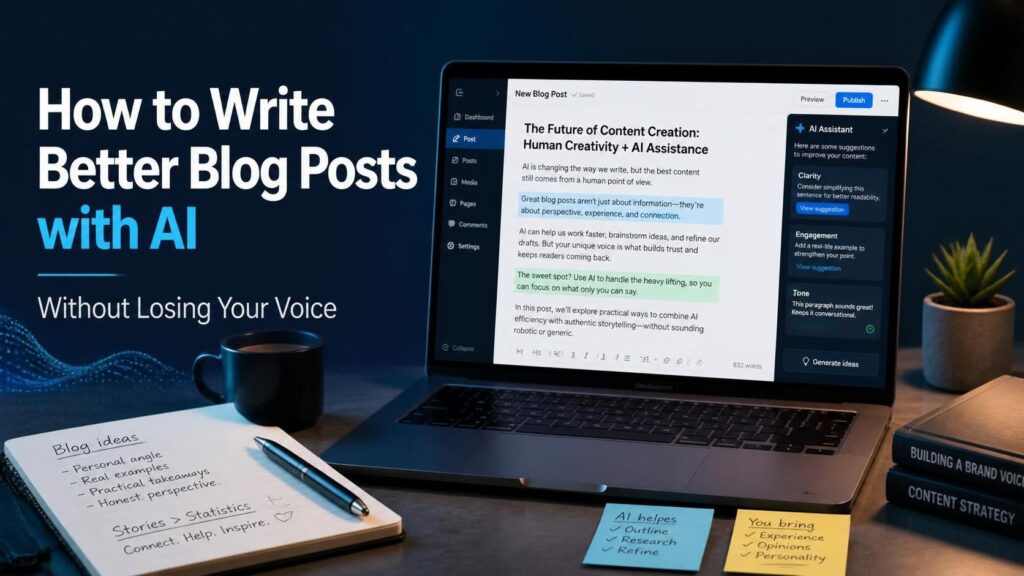
How to Write Better Blog Posts with AI (Without Losing Your Voice)
Almost every blog post published today has AI somewhere in its process. Non-AI blog creation dropped from 65% to just 5% of all published content between 2024 and 2026, according to Typeface's State of Content Marketing analysis.The problem is not that bloggers are using AI. It is that most of them are using it wrong. They type "write me a blog post about X" into a chatbot, copy the output, and hit publish. The outcome looks like every other AI blog post - technically accurate, utterly indifferent, and all clearly authored by someone who has absolutely no relevance to the topic.
According to SEMrush, hybrid AI-plus-human posts outperform fully human-authored posts by 24% in search. The bloggers who are actually seeing results are not asking the AI to think for them. They use it to turbocharge the non-voicey bits of writing.This guide covers the practical workflow for doing exactly that.
This guide covers the practical workflow for doing exactly that.
The Core Principle: Protect Your Voice, Automate Everything Else
A framing point to consider before any workflow advice: Does AI make your blog better or worse?
Your knowledge, your voice, your experience – those are the things you want to protect. AI cannot generate your knowledge. It cannot sound like you. It cannot have your direct experience of the tool you're reviewing, or the conundrum you've just solved. Those parts of your content are sacred - and they're also what readers are most eager for.
The purpose of using AI is not to have AI write your blog. The purpose is to have AI handle all the things you don't need to speak through - the research scaffolding, the outline, the SEO ideas and transitions, FAQ sections, and so on. This way you can save your precious writing time for your voice-only moments: your opinions, your detail, your stories.
The secret to using AI without losing your voice is to understand where your creative work takes place and to defend those spaces.
Step 1: Do Your Own Thinking Before You Open Any AI Tool
For a nebulous request such as "write about email marketing," this leaves a space for the model to fill in. So, the AI hallucinates with some likely-looking answers, which applies across all niches.
The biggest step of all is before you open Claude, ChatGPT, or whatever other little helper you're using to generate content. Spend the first ten minutes of your writing time fleshing out some rough notes. What's the post's angle? What specific conclusion should the reader draw? What do you already know about this, having experienced it yourself, that most other blog posts on this subject fail to mention?
You don't have to tidy them up – you just need to use your own words. They are the groundwork from which the AI will sculpt your post – but if you don't supply the foundation, the AI will sculpt nothing.
Step 2: Give AI a Detailed Brief, Not a One-Line Prompt
Most of the time, the whole of AI depends on how good our prompt is. This is not a limitation of current AI; that's just how every writing tool works. Garbage in, garbage out.
Don't begin your prompt by requesting something like "write a blog post about X." Provide samples of your writing so the AI tool can emulate your style, rather than the default.Essential AI brief for a blog post: the main keyword and search intent; who the reader is and what their situation is; the angle and main idea or conclusion of the post; whether it needs to be conversational, authoritative, 2nd person; particular facts or data to be included; and, best of all, two to three sentences quoted from your own older posts to be used as a voice reference. It takes five minutes to write that brief, but the output is worlds better.
Step 3: Use AI for Structure and Section Drafts, Not the Full Post
The number one mistake that bloggers make is that they skip the outline and go straight to the "write the post" prompt. Asking in sections gets you more depth than a "write the entire post" prompt.
Read it. Adjust sections you feel are not consistent with your angle. Delete common areas. Include the points you learn from your own experience to satisfy the needs of this post. Then, when the framework truly adheres to your thinking, ask AI to write your sections one by one.
This way, the AI results are more accurate, and you leave more of your own voice since each prompt section could contain specific information - for example, in this section, the inclusion of the 200MB VPN cap renders the feature effectively useless for streaming' - that guides the AI output towards what you actually know.
Step 4: Write the Sections That Require Your Voice Yourself
Parts of blog posts are just structurally required to write but aren't really interesting. This is the place that your AI can help you by writing the "blog post part" you don't want to.
In reality, there are two things in just about all of your blog posts that need your voice. These are:
The lead. The first three lines of a blog post are the deciding factors when it comes to a reader lingering or clicking away. Default AI leads start with a blanket statement about your subject. Lead with an observation, a contradictory point, or a clear statement of what you'll give – your voice, not the AI's.
The experience and opinion sections. Here's any time you're able to make a solid claim, give a specific experience, or make a statement that individuals disagree about. Personal blogs might offer specific writing, stories, ideas, and excuses that add substance. This is one of the most important parts of convincing your reader that you are credible enough to buy the affiliate product.
Step 5: Edit the AI Draft as a Writer, Not a Proofreader
No AI, no matter how sophisticated, can imitate you, your understanding, or the stories you tell. That is precisely what your editing pass is for.
There are two types of editing – proofreading (which catches grammar and typos) is not the editing pass – this is. In the editing pass, you read each paragraph, phrase, and sentence and find: Does this sound like me? Is this specific enough? Can I insert an example from my life here? Does one sentence sound like marketing copy and not someone talking to my reader?
Use a variety of sentence lengths. A lot of AI posts read from paragraph to paragraph with seemingly unlimited sentences of pretty much the same length. Read it aloud, and you will know if you have this problem – every sentence sounds the same length. Find a short sentence to put in between a couple of longer sentences.
Step 6: Let AI Handle the SEO Elements
Bring in AI to identify potential locations where you could naturally include search-friendly language without sounding like, "Hey, I'm really keyword stuffing this thing." Have it find these internal linking opportunities to your other posts. You review, edit for your voice, and publish.
Finally, the SEO bits of a blog post – meta title, meta description, FAQ area, and image alt text are the most natural application for AI within the entire process. They're structurally valuable, a lot of work to get right,t and they don't need your voice. They should be correct and optimised, not authentic.
Once you human edit and revise our post, then you can instruct AI to: create 3 META titles (below 60 characters), create a META description (below 160 characters and include the 1st keyword), generate 5 FAQ questions and answers based on this post, and include 3 related internal link opportunities from other posts. (Takes 2 mins and is for every SEO you spent 20 mins on before AI).
The Prompts That Actually Work
The reason a prompt for AI produces an unusable word salad vs. usable content is specificity. Here are the prompt structures that always lead to blog writing success.
For an outline: "Write a blog post outline for a blog post: [title]. Reader: [short description of who you're writing for]. Main keyword: [your keyword]. Angle: [your specific, unique take on this topic]. Introduction, [number of] major sections, [number of] FAQ – [number of] questions, Conclusion. No generic advice – each section should solve the problem the reader has.
For a subsection draft:
"[subsection title]" from the outline above. Style: in 2nd person; active voice; try to use a little humor, but provide a conversational tone. If any of the following points concern you: [your own experience/number], then consider the following paragraph from some of my own writing as a "voice": [paste your own paragraph]. Each paragraph should be under 150 words.
Things to look for in the editing pass:
In this section, can you break down any sentence longer than 25 words? Any passive voice? Anything that feels a bit like marketing speak versus someone talking? Anything you don't have hard facts on and so can't back up?
For SEO:
"Using the blog post above completed here, write: Three options for a meta title that contains the keyword under 60 characters [keyword].Meta description of less than 160 characters. Five FAQ questions, answered in 60 words, about what the searcher most wants to know when they search for the keyword.
What AI Cannot Do for Your Blog?
Knowing what AI cannot do in your workflow, as well as in the application, is equally important. Three things AI will fail to do in a way that would cause your reader to trust and return to your blog.
As a human blogger, your valuable input is your individual voice and writing style. Each blogger has their own voice that makes them different. No matter how advanced the technology, AIs cannot mimic your real-life experiences and opinions.
Hands-on product experience.
A customer reader who's considering a product and is interested in the answer to your question needs to know how it affected a user. An AI can go through various reviews and make a summary of what other people said. But it can't provide you with all the details - how was the interface for a user, was their schedule disrupted, was their pricing suddenly a let-down or a relief.
Really honest opinion.
Something that reads "both are definitely not perfect and the right answer just depends on your case" is not really providing value to the reader. A really honest opinion – "Use Kit, not Mailchimp if you're a new blogger and here's exactly why" – requires someone who is prepared to put their neck on the line. AI defaults to balance because it is trained not to be wrong. Your blog has value because you are not afraid of specifics.
The AI Tools That Work Best for Blog Writing
Not all AI tools can do the work evenly. While the workflow is more important than the AI tool itself, there are three that are worth knowing.
Claude
Claude is the best at long-form writing and editing. Its output is the most natural-sounding of any major AI assistants in 2026, and it adheres to specific writing instructions more than ChatGPT does. For the drafting and editing steps, the best choice is Claude Pro for $20 per month.
ChatGPT:
This is the strongest option to use for research & planning. Deep Research produces well-cited, comprehensive, page-length outlines, faster than researching the information itself. The Plus version (at $20/month) of ChatGPT is more powerful when conducting Step 1 (collecting what you already know about your subject) & the SEO section.
Grammarly
This is Grammarly's proofreading pass outside of the creative editing step. The free version detects grammar and spelling issues. The paid version, called Pro, includes style suggestions, a readability score, and plagiarism detection. For a blogger publishing twice or more per week, the current rate for Grammarly Pro is one of the least expensive paid tools in this workflow.
Try Grammarly free →
Wrapping Up
My workflow is simple: think for yourself first, create a detailed brief for AI with samples of the voice, let AI create the structure and parts of the draft, write the intro and opinion sections by yourself, rewrite AI's draft as a writer and not a copy editor, and let AI take care of all the SEO aspects.
The posts that do well in 2026 won't be the ones that are best written by the AI. They will be the ones where AI takes care of the mechanics and technicalities, while a real human with a personal body of experience delivers the first-hand insights, candid assessments, and every eye-glazing detail that convinces the reader to take action.
That's the entire model. AI for speed on the things that don't need your voice. You for the things that do.