
What Is a VPN and Do You Actually Need One? (Honest Answer)
160 million people use VPN currently. 28.7 percent of people surf the net, according to the GrabOnn 2026 report. However, what a vpn really does is rewrite the way people use this tool; people, most of whom might just say to me, ” You make me safer and more invisible online. Some do make use of a VPN, and for others, the best thing that has a money-sucking subscription that is $10.00 monthly has only benefited them nothing at all.
This guide is straight to the point, so
as soon as reading the guide, you will not be lost. You understand what vpn does. What it doesn’t do, and also whether your needs call for the use of vpn.
What Is a VPN? (Plain English, No Jargon)
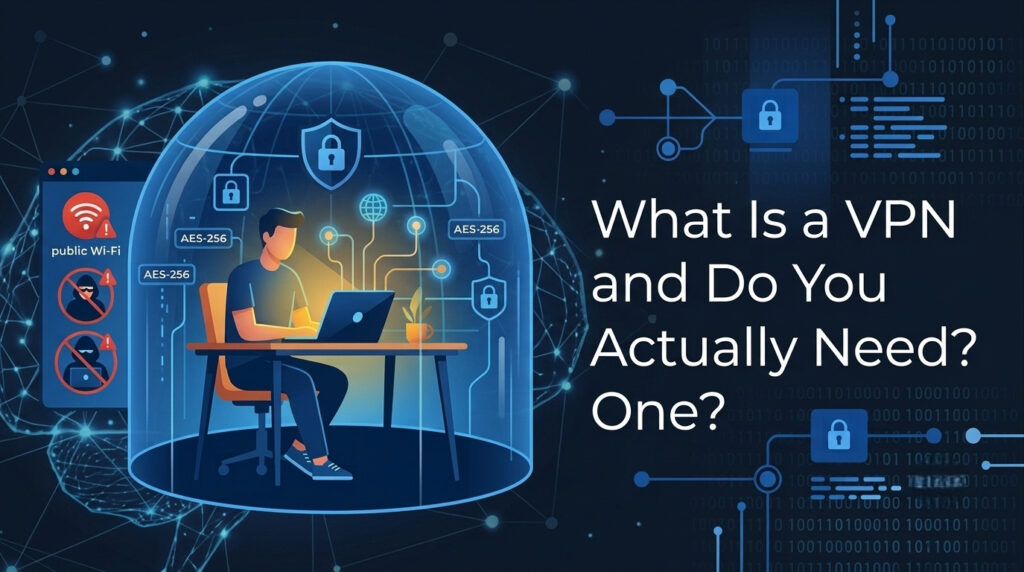
VPNs (Virtual Private Networks) provide an encrypted tunnel between a user’s device and the Internet. Once connected, the VPN routes your traffic through a remote server, which, in turn, makes requests to websites on the user’s behalf.
There are two effects here: The VPN encrypts your traffic, and the user gets another IP address, which is seen by visited websites rather than the user’s real one. To summarize, the VPN hides your real IP address and makes tracking more difficult. Since the website sees traffic coming from another place, there is no way to decode the encryption.
What a VPN does NOT do
This section is important as well since it describes the limitations of a technology.
First of all, a VPN is not antivirus software. It neither scans files nor blocks any attacks of malware. In case a user clicks a dangerous link, downloads a virus, or logs in to the wrong site, the VPN will not help him/her. There is a separate tool for this purpose – antivirus software.
Secondly, a VPN is not an anonymity tool either. While it definitely hides some aspects of a user’s traffic, it does not make the person anonymous. The user’s provider can see what he/she does and the websites he/she visits. Additionally, any service a person uses knows his/her identity even if the IP address changes due to the usage of a VPN. To get anonymity, a lot more should be done.
Lastly, a VPN does not protect users from various forms of tracking: browser fingerprinting, cookie-based and login-based tracking continue to work through a VPN connection. For more protection, a user will need a more complicated set of tools.
How Does a VPN Work? (The 60-Second Version)
When you connect to a VPN, three things happen in sequence.
When you connect to a VPN, your computer makes a connection to a VPN server located in a country. You select, generally, a server located somewhere in the UK, US, Singapore, or one of dozens of other nations, depending on your service provider. Your information traverses an encrypted tunnel from your computer to the server. The server sends your requests to whatever website you’re visiting and relays its response back to you.
So clearly from the outside it appears the traffic has begun at the VPN and not from your computer/household.
The protocol that you set up that encrypted tunnel in also affects how quickly it is. For a long time, the established default has been OpenVPN, which has been great and thoroughly checked, but is not very fast. The current king, in 2026, is WireGuard.
It’s much faster than the older options, and draws less power on your phone.
It has also been checked by independent experts. Consequently, most of the good VPN services now support it. Setting up a VPN and selecting WireGuard as the protocol is something well worth doing.
When You Actually Need a VPN
Using Public Wi-Fi
This is the clearest, most universal use case.
Public Wi-Fi at airports, hotels, cafés, and coworking spaces is convenient. However, these networks are less secure than your home connection. Network operators can see some of your activity. A VPN encrypts your traffic and helps protect your privacy.
Preventing ISP Tracking
ISPs in certain regions are also legally allowed to share and sell what users are browsing for ads; in the U.S., since a 2017 Congressional Review Act resolution that overturned FCC rules that had protected users from this in the first place, some have been doing so for some time. If you live in a part of the world where this applies, a VPN effectively stops your ISP from accessing your internet-browsing history
Watching Geo-Restricted Content
Streaming services offer different content libraries in different countries. A VPN lets you connect through another country. This may allow access to different content libraries. Keep in mind that this may violate the streaming service’s terms of use. This is technically against most streaming services’ terms of service, though enforcement is inconsistent. Mention this because it is a real use case, not because every VPN works reliably for streaming — connection stability and server quality vary significantly between providers.
Working Remotely
Many employers require staff to connect to internal systems, file servers, or company intranets through a VPN. In this case, the VPN is not optional — it is a job requirement, usually provided and configured by the company’s IT department.
Traveling in Restricted Countries
And for good reason; VPN adoption rates are extremely high in Asia. In fact, Indonesia has a VPN penetration of 55%, and India has one of 43%, as cited in GrabOn’s Global Usage 2026 report. In both instances, restrictions on content and government-enforced blocking, as well as ISP-implemented filtering, render a VPN practical rather than just a convenience for privacy.
For people like you reading this from Bangladesh or anywhere else in South or Southeast Asia, reasons for using a VPN may be even more immediate than someone with unrestricted internet access and no blocks at home in Western Europe. This would include access to blocked/slowed services, country-specific restrictions, and local ISP blocking-all valid arguments for using one.
When You Probably Don't Need a VPN
Home Internet Only
VPN for regular browsing is useful only if you only ever connect using your home internet with a trusted ISP in a country where ISP data sales are banned. Most of your internet usage at the level of the website that uses HTTPS (which should be all of your browsing) is already secured between your device and the server.
Antivirus vs VPN
If you use a VPN, it will neither prevent you from catching viruses nor help you get hacked when downloading things. Use anti-virus software for this.
VPN vs Online Anonymity
If you use a VPN, it will neither prevent you from catching viruses nor help you get hacked when downloading things. Use anti-virus software for this.
VPN Speed Impact
If you use a VPN, it will neither prevent you from catching viruses nor help you get hacked when downloading things. Use anti-virus software for this.
Free vs Paid VPNs: Why the Difference Matters
51.4% of all VPN users are currently (in 2026) using only free VPN services. The statistic should worry anyone interested in their own privacy-because the business model of a free VPN almost invariably conflicts directly with using one. The costs for operating a VPN provider are not trivial; you have to pay for physical servers located in different countries, employees to look after them, and infrastructure for handling and encrypting massive amounts of traffic.
If you are not paying for the service, then the provider is making its money in another way.
Often, this means it’s recording your browsing data and selling it on to advertisers; it can mean adding unwanted advertising into the traffic, artificially lowering speeds to convince you to upgrade to a paid service, or bundling the VPN with potentially unwanted adware with its installer.
Security researchers have repeatedly found that many free VPN apps log user data, inject ads into streams, sell traffic data to third parties,s or bundle adware. Many free VPN apps collect user data. Some inject advertisements into your browsing. Others sell usage information to third parties. Some even bundle unwanted software with their installers. Trusted paid VPNs usually provide stronger privacy protections. A paid VPN from a trusted provider can cost as little as $2- $5 per month on an annual plan. Both NordVPN and Surfshark fall in this bracket, et and both are subject to third-party no-logs audits; both offer 30-day money-back guarantees.
What to Look for When Choosing a VPN
No-Logs Policy
Virtually anyone can say their VPN doesn’t track your activity, but you only want providers who can prove it. This is usually via third-party security audits, which you’ll want to look up. NordVPN, Surfshark, ExpressVPN, and Private Internet Access all have published audit findings you can check for yourself, while those without an audit are essentially asking you to take their word for it.
Kill Switch
A kill switch automatically disconnects you from the internet if your VPN connection suddenly fails. Otherwise, if you disconnect without the kill switch enabled, your actual IP address will become visible to websites and network owners for a period until you reconnect. This feature is particularly important if you’re using the VPN to obscure your location and browsing information.
Server Network
Each location means more routing options, better overall speeds because there’s less congestion, and more potential for geo-access. A VPN that boasts 3,000 servers is obviously going to be a lot more convenient than one offering 300.
VPN Protocols
The latest and greatest secure protocols in 2026 include WireGuard, the fastest and most modern choice out there. Some other newer options are IKEv2 or OpenVPN, though be wary of outdated or weak choices such as PPTP and L2TP; some providers may only support one or two of these.
Device Limit
One subscription generally supports between five and ten simultaneously connected devices at the same time. Surfshark stands out among competitive VPN services as having unlimited simultaneous device connections under a single account, making it ideal for multiple households that use several connected devices.
Complete the chart and speed test results are below.
Frequently Asked Questions
Does a VPN make you completely anonymous online?
No. A VPN masks your IP address and encrypts your traffic, but it does not make you invisible. Your VPN provider can still see your traffic. If you are logged into any account while using a VPN, that service still knows who you are. Browser fingerprinting and cookies also work independently of your IP address. A VPN reduces traceability — it is not the same as anonymity.
Will a VPN slow down my internet speed?
Yes, to some degree. Traffic has to travel to an additional server before reaching its destination, which adds latency. With a modern provider using the WireGuard protocol, the speed reduction is minimal on a fast connection — often under 10%. On a slow base connection, the impact is more noticeable. Running a speed test with and without your VPN active is the simplest way to measure the real difference on your specific connection.
Is using a VPN legal?
In most countries, yes. VPN use is legal in the UK, the US, most of Europe, India, Bangladesh, and the majority of the world. A small number of countries restrict or ban VPN use — Russia, China, North Korea, Belarus, and a few others. If you are unsure about your country’s specific laws, a quick search for “[your country].
Is it okay to use a free VPN?
Yes and no: You could potentially download free malware on it, so some free VPNs, like ProtonVPN, can protect some data better, but always try out more options if cost IS the only issue. Free ones: If free is your main objective – be aware most of these require you to give up the data (i.e., sell you out).
Many of the others, particularly less well-known and unverified ones – or those that show ads in an innocent (not as gross) pop-up when connecting- can be too risky.
Does a VPN keep viruses/hackers away?
Only in limited, not really useful, ways.VPNs encrypt what your internet browser transmits so you can browse without getting read. They also protect against interception on a public Wi-Fi. However, this will not save you from malicious software, such as any kind of file that might be downloaded, and also some malicious web pages.
For any malicious program infection on your device, you should use antivirus software.VPN shields people in a completely different aspect.
How would a freshman certainly begin with VPNs?
NordVPN and Surfshark are the best and simplest to apply, as it gives its providers with uncomplicated use, support (even through the use of WireGuard), and a great 30-day money-back promise.NordVPN uses a much bigger array of servers. In case you may possibly be sharing your connection in your household, Surfshark might be a considerably better choice, as unlike NordVPN it offers unlimited simultaneous device linking.
One or two of each priced at about the equivalent $2-4 Dollars/mo for the two-year plan.
Concluding Thoughts:
So do the majority of individuals who use public networks frequently?
Is worried about what my ISP sees?
Visit the internet in nations that are more restrictive, or is region-locked content available for use?
I believe yes, it is not really terrible to subscribe to a VPN.
For other folks that have don’t one of these things, I suppose a VPN is not that excellent of an idea. Should you nonetheless make up your mind that you would like one, consider those that present an independent review of their no-logs policy, then bypass the complimentary services completely and consider NordVPN and Surfshark, the ideal choices suggested by the majority, and even try it risk totally free along with a 30-day money-back policy of 30 days.