
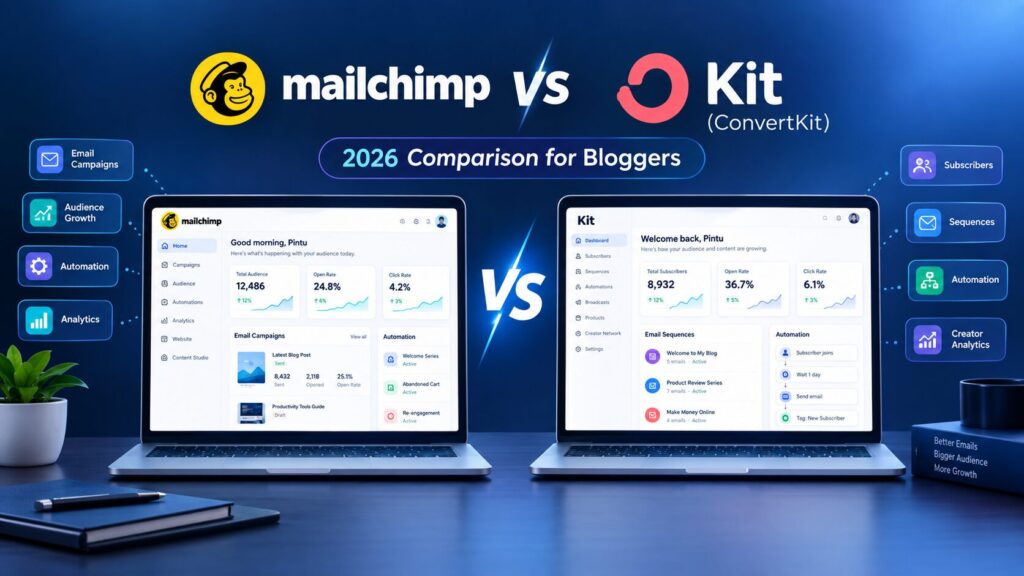
Mailchimp vs ConvertKit (Kit) 2026: Which Is Better for Bloggers?
Table of Contents
For bloggers, content creators, and newsletter writers: Kit wins. For small businesses, eCommerce stores, and anyone who needs professional-looking branded email templates and 300+ third-party integrations: Mailchimp wins. Period. That’s the bottom line, and it’s not going to change – however much you delve into the features comparison.
A quick heads-up before anything else. Convert Kit was rebranded to Kit in October 2024. Same product, same features, same price plan – just a change of name.
This story, and most published comparison charts, still use Convert Kit.
So does the title of this article. Also, an important January 2024 update: Mailchimp reduced its free plan for new accounts to 250 contacts and 500 email sends per month.
Mailchimp vs ConvertKit (Kit): Quick Comparison (2026)
| Feature | Kit (ConvertKit) | Mailchimp |
|---|---|---|
| Free plan subscribers | 10,000 | 250 |
| Free plan emails | Unlimited | 500/month |
| Free automation | 1 automation included | No |
| Paid entry price | $39/month (1,000 subs) | $13/month (500 contacts) |
| Email design | Minimal — plain-text style | Rich templates, drag-and-drop |
| Deliverability | Strong — double opt-in default | Good |
| Built for | Creators and bloggers | Small businesses + eCommerce |
| Counts unsubscribes against limit | No | Yes |
| Digital product sales | Yes — Kit Commerce | No |
| Integrations | Focused set | 300+ |
For bloggers: Kit’s free plan covers your first 10,000 subscribers with unlimited emails and one automation. Mailchimp’s free plan covers 250 contacts and 500 emails per month.
What Each Platform Is Actually Built For
Designed for creators, Convert Kit, now Kit, was created from scratch for creators.s Nathan Barry launched Convert Kit (now Kit) in 2013. He went for simplicity and deliverability – not major design features. Convert Kit was built from scratch with bloggers, podcasters, YouTubers, authors, and online course creators in mind, so they can grow their audience, engage it with automation sequences, and sell digital products. It has a rich source of templates.
Mailchimp was the original category player built for small businesses, eCommerce stores, and marketers. So, they could have a wide variety of design templates, more integrations, and all the marketing bells and whistles like landing pages and SMS. This distinction is really important before you start comparing the features. Most of the differences between the two platforms are because they optimize for different audiences – not because Mailchimp or Kit couldn’t build a feature the other one has.
Pricing in 2026: What You Actually Pay
Kit (ConvertKit) pricing
Kit’s free Newsletter plan supports up to 10,000 subscribers with unlimited email sends. EmailToolTester awarded Kit the Best Free Email Marketing Tool for 2026 badge based on this plan’s value.
The free plan includes unlimited emails, unlimited landing pages, unlimited forms, one automation, subscriber tagging, and Kit Commerce for selling digital products. Kit raised prices in September 2025. The Creator plan (paid tier) starts at $39/month for up to 1,000 subscribers on monthly billing. Annual billing saves 15 to 17%.
Mailchimp pricing
The free plan was cut back to 250 contacts and 500 emails a month in January 2026. Mailchimp’s free plan used to be 2,000 contacts – that’s a huge downgrade. Few comparison pages published before 2026 still list 2,000 as the free limit.
It is 250.
Mailchimp Essentials – From $13/month for 500 contacts. Standard starts at $20/month. At 1,000 subscribers, Mailchimp Essentials costs about $26.50 per month—lower than Kit Creator at $39/month for the same subscriber count. Mailchimp is cheaper at the entry paid tier. That gap narrows significantly at scale.
The unsubscribed contacts problem
One critical detail: Mailchimp counts all contacts in your audience, including unsubscribed addresses, against your plan limit. A blogger with 800 active subscribers and 400 people who previously unsubscribed has 1,200 contacts counted against their plan — pushing them into a higher billing tier for addresses they cannot actually email. Kit counts only active subscribers. On a growing list with normal churn, this gap compounds steadily over time and can effectively double your Mailchimp cost compared to what the pricing page implies.
Pricing at scale
At the 10,000-subscriber level, prices are nearly identical: Kit Creator at approximately $139/month versus Mailchimp Standard at approximately $135/month. The free tier gap is the most dramatic difference in this comparison. The paid tier gap narrows as list size grows and converges around 10,000 subscribers. Above 25,000 subscribers, Mailchimp’s per-subscriber pricing often becomes more expensive than Kit’s.
Feature Comparison: Where Each Platform Wins
Automation
Kit wins for creators. The visual automation builder uses tag-based branching logic — when a subscriber receives a tag, a sequence triggers. This is included in the free tier (one automation) and scales naturally for blogger use cases: welcome sequences, content upgrade delivery, course drips, and re-engagement campaigns.
Mailchimp has more automation templates, but the complexity increases steeply. Kit’s automations are simpler and faster to configure — relevant for bloggers who want a working welcome sequence in an afternoon, not a project. For complex eCommerce flows — abandoned cart sequences, product recommendation triggers, post-purchase follow-ups — Mailchimp’s automation depth is more relevant.
Email design
Mailchimp wins clearly. If you want a sleek, branded look, the drag-and-drop builder, hundreds of pre-made templates, and brand kit make Mailchimp the better option. Kit’s minimal email design templates are not a bug; they’re a feature – plain-text templates are available, and it isn’t always a bad thing. Mailchimp emails look like marketing emails. For creators whose audience values personal connection, this can work against engagement. Plain-text emails consistently achieve higher open rates than designed template emails in the blogger and newsletter space. What looks less professional performs better.
Deliverability
Kit wins or ties. Deliverability: ConvertKit is fairly spam-free: It defaults to double opt-in with plain-text email that spam filters seem to love, and builds a smaller list (all your subscribers have opted-in what is less likely to cause spam complaints and more likely to arrive in the inbox. Mailchimp’s deliverability is strong for a large platform, though some of its designed templates set off spam filters in testing. Both platforms are reliable enough for professional use. Kit’s structural advantages — plain-text default, double opt-in enforcement — give it a consistent edge in the creator segment.
Subscriber management
Kit wins clearly. Kit uses tag-based subscriber management — one subscriber can have multiple tags (reader, buyer, course student, VIP) without being counted multiple times. Mailchimp uses list-based management, where a subscriber on two lists counts twice against your contact limit.
For a blogger managing multiple opt-in offers, content categories, and a product or two, Kit’s tagging system handles segmentation without inflating your contact count. Mailchimp’s list-based approach works for simple use cases but creates unnecessary cost complexity as segmentation needs grow.
Monetisation
Kit Commerce sells digital products, ebooks, and paid newsletters natively, without requiring a separate eCommerce tool. If you’re a blogger looking to sell a template, an ebook, or a paid newsletter subscription, Kit sells this all from the same place where you create and track your email list. Mailchimp does connect with WooCommerce and Shopify, but it isn’t a native digital product sales platform.
For a physical-products business or a large eCommerce store, Mailchimp’s integrations are more relevant. For a creator selling their own digital content: Kit’s native Commerce beats adding and managing a separate tool.
Integrations
Mailchimp wins. Mailchimp offers 300+ native integrations — covering CRMs, eCommerce platforms, social media tools, analytics platforms, and more. Kit offers a focused set covering the tools creators actually use: WordPress, Squarespace, Teachable, Podia, Zapier, and the major course platforms.
For bloggers on WordPress whose full tool stack is a hosting provider, an SEO plugin, and a few affiliate tools: Kit’s integration set covers everything needed. The 300-integration advantage matters for businesses with existing complex tool stacks — not for most new bloggers.
Who Should Use Kit (ConvertKit)
Choose Kit if you are a blogger, podcaster, YouTuber, coach, or course builder who wants to find an audience, publish a newsletter regularly, and sell digital products on one platform. Our free plan for newcomers to the blogosphere with up to 10,000 subscribers has no cost barrier. The tag-based subscriber system scales cleanly as your content and offers multiply. The plain-text email style fits the personal, direct tone that converts better in content creator niches.
If you are building an affiliate blog and want to build an email list alongside your content — to promote new posts, share exclusive content, and occasionally recommend affiliate products to a warm audience — Kit is the natural starting point. Start free, grow to 10,000 subscribers, and upgrade to Creator when you need advanced automations.
Kit offers free concierge migration for Creator and Creator Pro plan users. Kit’s team handles subscriber imports, landing page creation, automation setup, and testing. There is also a self-service Mailchimp importer that uses an API key for automatic contact syncing. Switching from Mailchimp to Kit is handled for you at the paid tier.
Who Should Use Mailchimp
Choose Mailchimp if… E-commerce is a big focus of your business, and you want more integrated e-commerce support (Shopify, WooCommerce); you want visual branded templates with little work; you want some CRM features with email; your list is large, and so you need more economical per-subscriber pricing; ing, you want multivariate or automation analysis; and/ord or you want a broader set of integrations to existing tools. Or choose this option if you are a blogger who is already on Mailchimp with a mature list and active automations – changing platforms would cause some pain, and if you have no major pain points, it may be the best option.
Frequently Asked Questions
Yes! Convert Kit was renamed Kit in October 2024. All product updates, pricing plans, features, and accounts stayed the same.
The only difference was a name change and a new URL (convertkit.com became kit.com).
We felt that “Convert Kit” was just too stiff and not really accurate because the platform was much more than just an email conversion platform. If you Google the term “Convert Kit” and show up at kit.com, then you’re in the right place. Most customers and everyone in the big wide world still call it Convert Kit, which is why you will see both in this post.
Yes – but at a hugely diminished free tier. Mailchimp shrank its free plan to 250 contacts and 500 emails/month in January 2026. That’s a reduction from 2,000 contacts on the prior free plan.
At 250 contacts, most bloggers will bust that threshold within their first month of list growth.
(Their paid Essentials plan begins at $13/month for 500 contacts). For new bloggers seeking a truly useful free plan, Kit’s free 10,000-subscriber plan now wins.
Yep. Kit provides free concierge migration for Creator and Creator Pro plans. Kit’s team will import your subscribers, build your landing page, set up automations, and do all the testing.
We also have a self-serve version that includes a Mailchimp import tool and an API key so contacts are synced automatically.
Export your Mailchimp audience as a CSV file including tags and consent status,s then import to Kit. It will come through with tags and consent records, and you should expect a day or two of setup for a list of less than 10,000 subscribers.
You would need to be a super-savvy blogger to get by on Mailchimp’s free plan. The free plan covers only 250 contacts and sends 500 emails per month, which isn’t going to last very long. Kit (free up to 10,000 subscribers and unlimited emails, landing pages, and one automation) is the better option for a beginner blogger starting from scratch, given the huge 10,000-between-plans gap between free plans. Begin with Kit and then upgrade as your automation needs increase past one automation.
You would need to be a super-savvy blogger to get by on Mailchimp’s free plan. The free plan covers only 250 contacts and sends 500 emails per month, which isn’t going to last very long. Kit (free up to 10,000 subscribers and unlimited emails, landing pages, and one automation) is the better option for a beginner blogger starting from scratch, given the huge 10,000-between-plans gap between free plans. Begin with Kit and then upgrade as your automation needs increase past one automation.
At 1,000 contacts, Mailchimp Essentials for ~$26.50/month is $12.50 cheaper than Kit Creator at $39/month. For the extra bucks, Kit offers unlimited email sends (Mailchimp limits at 10x your contacts), tag-based contact management, Kit Commerce to sell digital products, and default better deliverability rates. (Whether or not that $12.50/month difference is reasonable is up to you-I would say that for a blogger who sends more than one simple email per week, no automation needs, and sells any digital product, Kit is worth it; for a blogger who writes one basic email a month, Mailchimp Essentials has that covered.)
Final Call for Bloggers and Content Creators:
Kit is enough. The free plan includes 10,000 subscribers, 1 automation, all the landing pages you could ever want, and Kit Commerce – so you can build and monetise your email audience for free.2If you need more automations, get Creator. For small firms and online retailers: MailChimp’s great template library, (good) integrations with over 300 apps, and deep analytics are worth paying for if you need more than a newsletter to manage your email list to promote a campaign, a new [internet] store, and measure its results.
PINTUSANA.NET visitors are creating an affiliate blog.
Kit is the answer.
Try Kit (ConvertKit) free — up to 10,000 subscribers →
Related reading: